

Step 1
Register your sitemap
Enter your site address in the dashboard. The sitemap is found automatically, then checked to ensure it can be retrieved and actually contains a list of pages. If there’s a problem, you’ll know immediately how to fix it.
Visitors ask, the bot answers from your own site pages. Register your sitemap, paste one line of script, done.
Regular chatbots answer from model memory, which never contains your site content. So regarding pricing, schedules, and terms of service, it guesses. Here, every answer is built from the most relevant snippets of your pages, and if the material isn’t available, the bot is directed to say it doesn’t know, not guess.
Step 1
Enter your site address in the dashboard. The sitemap is found automatically, then checked to ensure it can be retrieved and actually contains a list of pages. If there’s a problem, you’ll know immediately how to fix it.
Step 2
Each page in the sitemap is read, then the text is broken down into short snippets. That collection of snippets becomes your site’s knowledge base, the main material the bot uses to answer.
Step 3
Visitors type questions in the chat widget, directly on your site and without needing to register. You control the color, theme, bot name, and opening greeting.
Step 4
Behind the scenes, the question is matched against the knowledge base, then the answer is built from the most relevant snippets. Questions clearly outside the topic of your site are answered with a guardrail sentence you write.
The exact snippet, complete with your site id, is on the Widget screen, Editor tab. No npm packages need to be installed and no other changes to your code.
<script src="https://chatbot.inwebsite.online/widget.js"
data-site-id="situsmu" defer></script>It’s more than just a chat bubble. Knowledge base, appearance, monitoring, and chat history are all in the same place.
Colors, themes, position, bot name, subtitle, opening greetings, and auto-open are set from the dashboard. Changes appear on your site in about a minute, without re-pasting code.
Just an example. In your dashboard, you can use any color code.
Successful, blocked, and error chats over the last 24 hours. Requests from domains you haven’t authorized are logged with their reasons. Unusual chat spikes are visible on the graph.
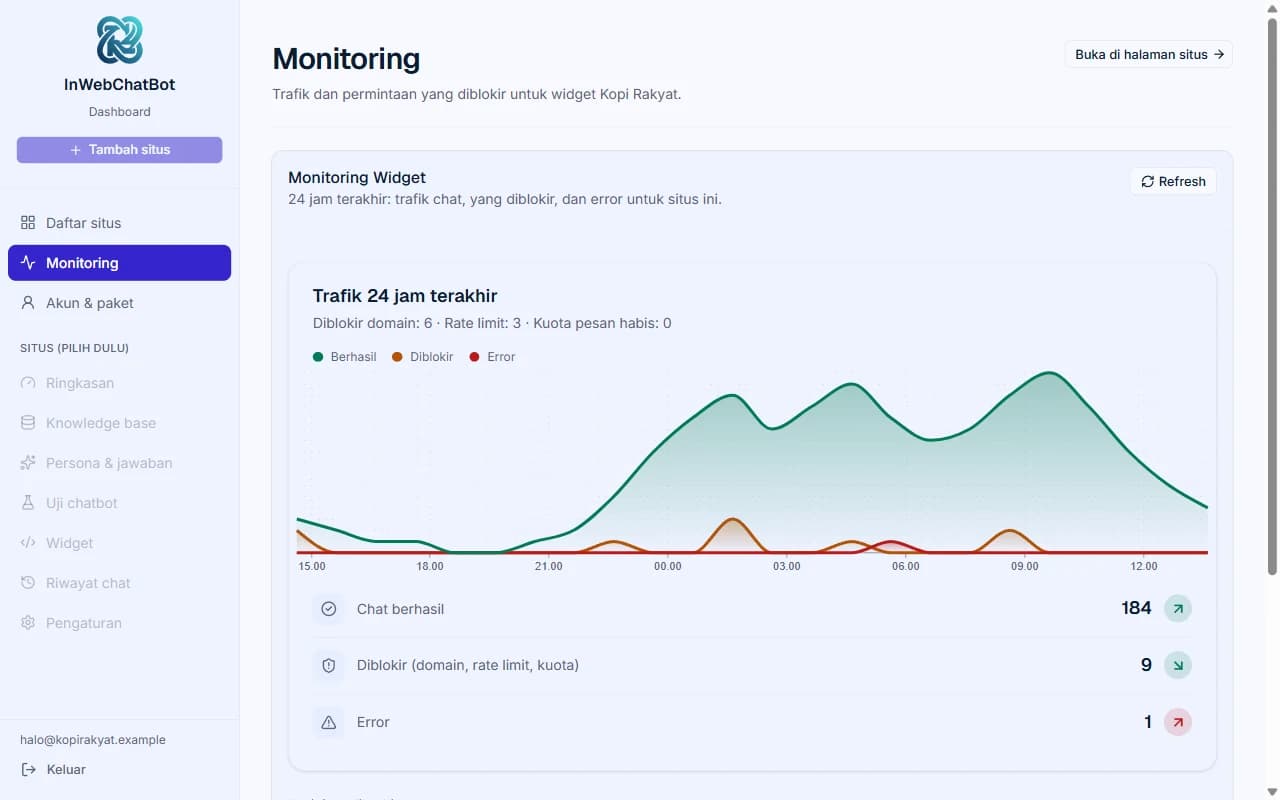
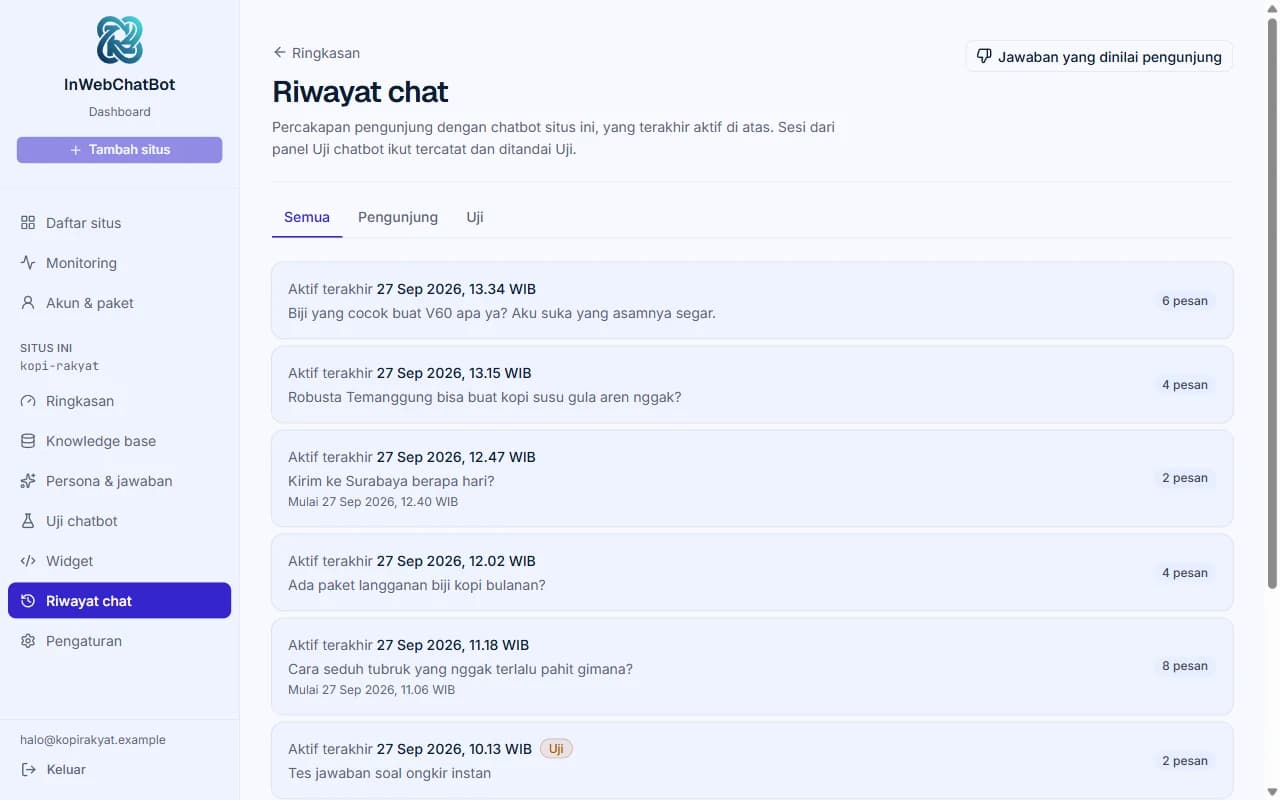
Read visitor conversations as-is, per session, plus a list of downvoted answers. Repeated, unanswered questions are a list of content you should write.
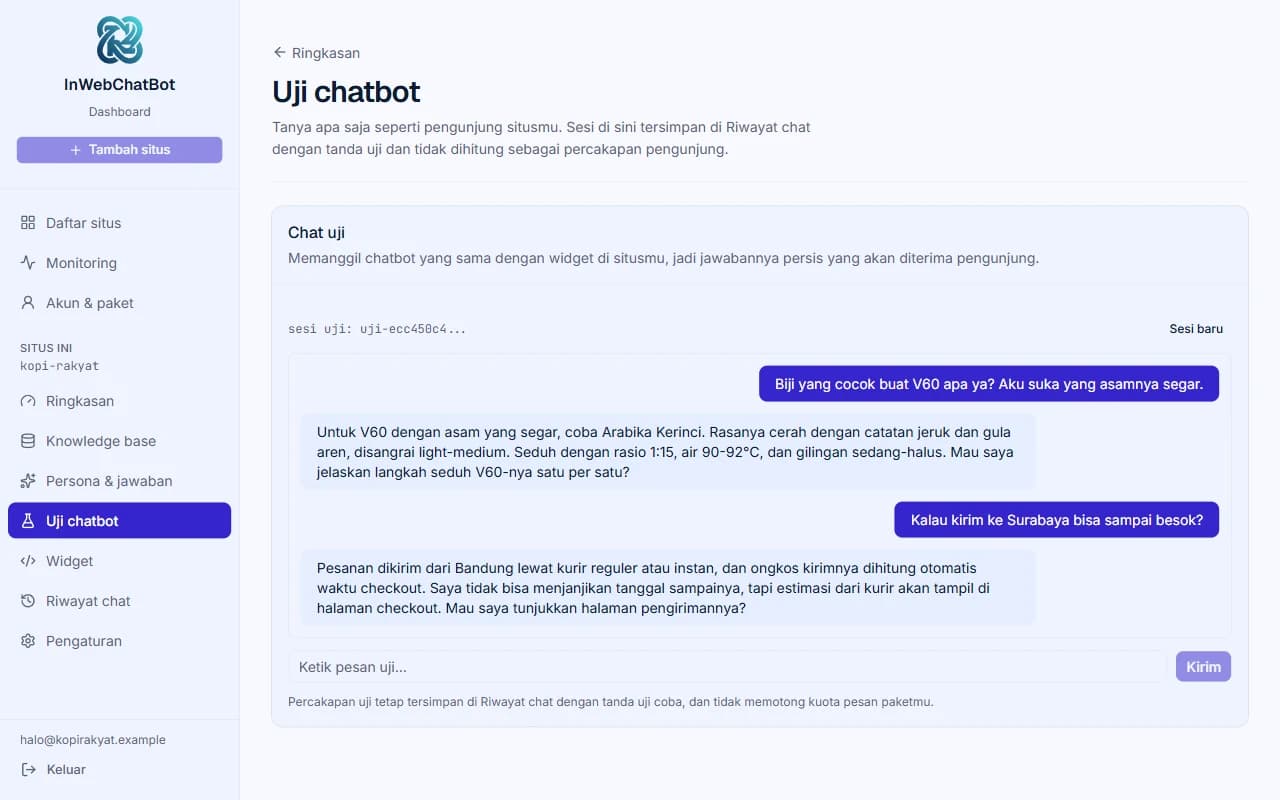
Ask anything in the Widget preview, like a visitor would to your chatbot. You’ll spot incorrect answers here, not in front of visitors. Test sessions don’t use your quota.
Persona sets the bot’s role and tone. Guardrail is a fixed response for clear off-topic questions. Both are plain text fields you can change anytime, and the results are immediately testable in the widget preview.
You are a pre-sales assistant for Kopi Rakyat,
a coffee roaster in Bandung.
Answer in a maximum of 4 sentences, then offer one
next step.
You are not authorized to give discounts or
promise shipping dates.Sorry, that is outside of what I can help with.
If you have questions about coffee or orders from Kopi Rakyat,
please ask, or contact us on WhatsApp.The examples above are for illustration. Fill in your own via the site detail page.
Brand colors, dark mode, fonts, and button corners are read from your site design, then applied to the widget. Bot text, position, and your domain list are unchanged, and appearance changes can be undone one step at a time.
For sites where you control the code. Claude Code, Cursor, or another agent supporting MCP reads DESIGN.md and CSS in your repo, then matches the widget.
For Wix, Shopify, WordPress, or other builders. Press Scan site in the dashboard, check the before-and-after comparison, then apply.
Included in all plans, including Free.
claude mcp add --transport http inwebchatbot https://chatbot.inwebsite.online/api/mcp --header "Authorization: Bearer iwcb_…"Example with a fictional business. You create the access token yourself on the “Pengaturan situs” (Site Settings) page.
≈$10 /month
or ≈≈$10/month if you pay yearly
For small businesses starting to serve visitors with a chatbot.
≈$20 /month
or ≈≈$15/month if you pay yearly
For businesses running chatbots on several sites.
≈$60 /month
or ≈≈$45/month if you pay yearly
For freelancers and agencies installing chatbots on client sites.
Need more than 50 sites? See all options. Prices do not include VAT.
USD figures are indicative estimates rounded up to easy-to-read prices (nearest $10, or $50 above $500; monthly equivalents use $5 steps), using Rp18,116 per US$1 (Bank Indonesia, Oct 26, 2026). Discounts and checkout totals use the actual IDR prices. Payment is in IDR via bank transfer or QRIS; exchange rates and fees may differ.
Personas define the speaking style, guardrails define when the bot stops. You write both yourself, and both are easy to get wrong.
ReadAlmost all ingest failures we handle end up in the sitemap. This is a checklist before registering a site.
ReadLanguage models are trained to always have an answer, even when they don’t know. This is how retrieval and guardrails work to prevent that.
ReadAnswers are compiled from the most relevant snippets of your site content, and the bot is instructed to admit it doesn't know if the material is unavailable. Questions clearly outside the topic are answered with a guardrail sentence you write yourself. The AI model can still be wrong, so test the answers in the Widget preview screen before the widget goes live.
Yes, as long as the page content is sent as HTML. If the text only appears after JavaScript runs, enable server-side rendering or provide a static version and point the sitemap to it.
Press “Periksa” (Check) on the “Knowledge base” page: your site is re-read and you can check the results before pressing “Terapkan” (Apply) to update the chatbot’s content. Pro and Studio update the knowledge base automatically every week; Free and Starter use manual updates.
Yes, on all plans. If you have your site’s code, connect an AI agent like Claude Code or Cursor via MCP from the “Pengaturan situs” (Site Settings) page, then ask the agent to match the widget: it reads DESIGN.md and CSS in your repo. If your site is built on Wix, Shopify, or WordPress, press Scan site on the same page and check the comparison before applying. It matches colors, themes, fonts, and widget corners, and changes are reversible.
Registration and appearance settings usually take less than five minutes. The process of reading site content runs in the background; the duration depends on the number of pages in the sitemap.
Site content, configuration, and chat history are stored in MongoDB Atlas. Other customer accounts cannot see your site, and after a domain is registered, the chatbot only answers on the domain you allow. Site text and visitor questions are processed by third-party AI model providers (including Google Gemini and Jina) to generate answers.
Sign up, enter your site's sitemap, and test the responses in the widget preview before visitors see it.
You can adjust the color, theme, and position from the dashboard.